
 |
Shira 3D Model Viewer Plugin is a real-time 3D model inspection tool built directly into the Shira Presenter environment. Designed for planetarium operators, educators, and visualization professionals, it enables interactive exploration of three-dimensional models on flat screens, curved surfaces, and full-dome projection systems — without leaving the presentation workflow. The plugin supports over 40 industry-standard file formats through the Assimp open-asset library, including glTF/GLB, FBX, OBJ, COLLADA, STL, and many more. Models load with their original materials, textures, and mesh hierarchies intact, ready for real-time inspection. |
 |
Technical OverviewThe plugin is built on OpenGL 4.5 with a physically based rendering (PBR) pipeline, delivering photorealistic surface representation for metallic, dielectric, and emissive materials. An ADS (Ambient-Diffuse-Specular) lighting mode is also available for classical Phong-style shading, giving operators full control over the visual presentation style. Models are loaded asynchronously in a background thread so the Shira Presenter interface remains fully responsive during import. Large scenes — multi-mesh assemblies, high-polygon architectural models, or detailed scientific visualizations — load without blocking the presentation timeline.
|
|
Supported formats include: glTF 2.0 / GLB · FBX · OBJ / MTL · COLLADA (DAE) · STL · PLY · 3DS · BLEND · and 35+ additional formats. Operational FeaturesInteractive Inspection Tools
File Browser Multiple Simultaneous Viewers |
|
Usage
After installing the plugin, open the Shira 3D Model Viewer from within Shira Presenter. Load any supported model file through the File Browser panel, or by drag-and-drop.
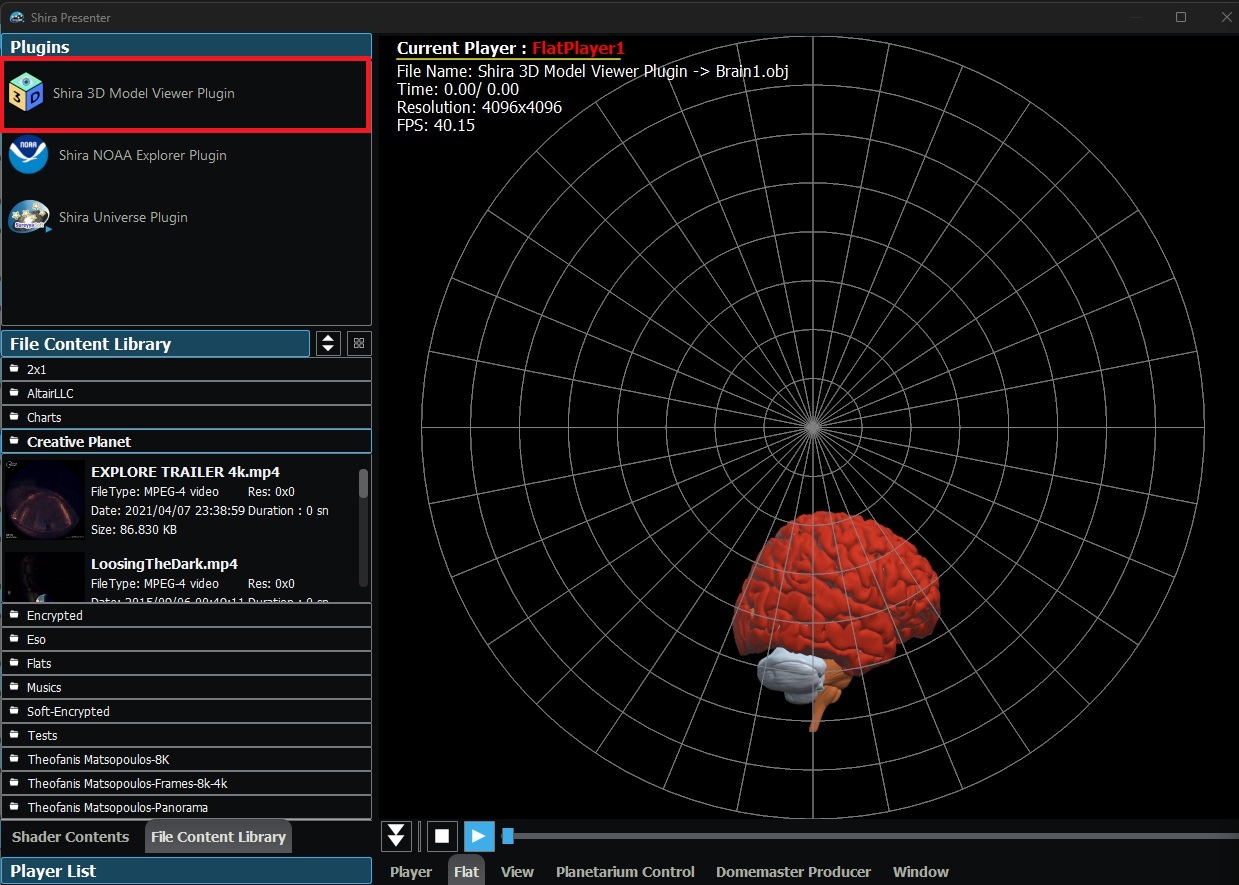
Once the model is loaded and positioned as desired, it is assigned to a Shira Presenter player using the Drag to Scene workflow:
- Click and hold the Drag to Scene button in the viewer toolbar
- Drag onto the Shira Presenter Preview screen
- Drop onto the target player — Fulldome Player or Flat Player
The model viewer output is then live-linked to that player and rendered in real time as part of the presentation. Camera position, lighting, clipping planes, and all other viewer parameters are saved with the presentation snapshot and restored automatically on playback.
Encrypted Model Distribution (SMVE)
Models can be packaged in the .smve (Shira Model Viewer Encrypted) format using the companion ShiraModelEncryptor command-line tool. SMVE files use AES-256-GCM authenticated encryption, ensuring that proprietary or licensed 3D assets can be distributed and opened exclusively within the Shira 3D Model Viewer Plugin. The encrypted container preserves the original file format so all materials and textures load exactly as they would from the source file.
Encrypting a model:
ShiraModelEncryptor.exe model.glb
model.smve in the same directory. The original file is not modified. An explicit output path can also be specified:Opening an encrypted model:
.smve files open like any other supported format — through by double-clicking in the File Browser panel, or by drag-and-drop onto the viewer. No key entry or additional configuration is required; decryption is handled transparently by the plugin.
Distribution:
When distributing a model with external textures (OBJ/MTL, etc.), the .smve file and its accompanying texture folder are distributed together. The mesh data is encrypted; the textures remain as standard image files alongside it. For fully self-contained distribution with no loose texture files, use the GLB format before encrypting — GLB embeds all textures within a single binary, resulting in a single .smve file with no dependencies.
Snapshot & Presentation Integration
Camera position, lighting configuration, selected objects, clipping plane state, and material overrides are all captured by the Shira Presenter snapshot system. Saved presentations restore every viewer parameter precisely, enabling repeatable, automated show playback.
Sample Models
The installer includes a curated library of ready-to-use 3D models organized into three thematic categories. All models are available immediately from the built-in File Browser upon first launch.
Architecture — Historic Astronomy Sites
Three historically significant structures related to the history of astronomy, reconstructed as detailed textured 3D models:
- Cacabey Astronomy Madrassa (Kırşehir, Turkey, 1272) — One of the earliest institutions in Anatolia dedicated to the study of astronomy, founded by Cacabey during the Seljuk period. The model includes full exterior stone masonry detail with photographic textures.
- Ulugbek Madrassa (Samarkand, Uzbekistan, 1420) — Built by the Timurid astronomer and ruler Ulugh Beg, this madrassa formed the intellectual center of one of the Islamic world's most advanced scientific traditions.
- Ulugbek Observatory (Samarkand, Uzbekistan, 1428) — Reconstruction of Ulugh Beg's legendary observatory, home to the Fakhri sextant — at the time the world's largest astronomical instrument — which produced star catalogs of remarkable precision for the era.
All three architectural models are provided in the encrypted .smve format.
Biology — Cells & Neural Structures
A collection of biomedical models sourced from NIH and scientific visualization pipelines:
- Plant Cell — Detailed organelle-level reconstruction of a plant cell
- Animal Cell — Comparative eukaryotic cell model with labeled structures
- White Blood Cell — Leukocyte model suitable for immunology presentations
- Neuron — Full dendritic and axonal morphology from NIH open data
- Bacteria (Cell Wall) — Prokaryotic structure demonstrating fundamental biological contrast
- Human Brain — Three-part high-resolution OBJ model of the human brain with separate hemisphere and lobe meshes
- Mouse Brain Atlas — Multi-region PLY dataset derived from volumetric brain atlasing, with individual mesh files for major anatomical regions and a combined full-brain assembly
Spacecraft — NASA Mission Vehicles
Six iconic spacecraft from NASA's history of space exploration, provided as self-contained GLB files with full PBR materials:
- International Space Station (ISS) — Full-scale assembly model with solar array and module detail
- Mars 2020 Perseverance Rover — Surface configuration with arm deployment
- Space Shuttle — Orbiter vehicle in flight configuration
- Apollo Lunar Module — Descent and ascent stage model from the Apollo program
- Cassini-Huygens — Saturn orbiter and Titan probe in cruise configuration
- InSight Lander — Mars geophysics lander with robotic arm deployed
System Requirements
| Component | Minimum |
|---|---|
| Shira Presenter | v2.5.4 or later |
| Shira Universe | v8.0.2 or later |
Download
"Shira 3D Model Viewer Plugin" can be download from the download area.
Click to download.
Change Log
2026.05.17 Version 1.0 is released.
